Hi there!
This guide explains how to integrate your custom Add-On with VeinMiner using Minecraft’s scriptevent system. By following these instructions, you can register your custom ores and pickaxes, allowing them to work seamlessly with VeinMiner’s ore mining functionality!
Registering Your Add-On
To register your Add-On with VeinMiner, you need to send a scriptevent with the ID veinminer:register_addon. The event message should contain a JSON string with your Add-On’s configuration.
Here’s an example of how to register your Add-On:
world.getDimension("overworld").runCommand("scriptevent veinminer:register_addon " + JSON.stringify({
  name: "My Custom Add-On",
  ores: [
    // Your custom ores here
  ],
  pickaxes: [
    // Your custom pickaxes here
  ]
}));
Ore Configuration
When defining custom ores, you need to provide an Ore object with the following structure:
interface Ore {
  id: string;
  lang?: string;
  xp_orbs?: [number, number]; // [min, max]
  variants?: string[];
  loot_table: LootTable;
  hardness: number;
  rgb: [number, number, number];
}

interface LootTable {
  type: "item";
  pools?: {
    rolls: number | { min: number, max: number };
    entries: {
      type: "item";
      name: string;
      functions?: {
        function: "set_count" | "apply_bonus";
        count?: number | { min: number, max: number };
        enchantment?: string;
        formula?: string;
      }[];
    }[];
  }[];
}
Here’s what each field means:
| Field | Type | Description | Required |
|---|---|---|---|
| id | string | The unique identifier for the ore | ✔️ |
| lang | string | The language key for the ore name (defaults to tile.${id}.name). Can also be a normal string. |
❌ |
| xp_orbs | [number, number] | Range for XP orb drops [min, max] | ❌ |
| variants | string[] | Alternative ore block IDs (e.g. deepslate variants) | ❌ |
| loot_table | LootTable | Defines what items drop when mining the ore | ✔️ |
| hardness | number | Mining tier required (1=wood, 2=stone, 3=iron, 4=diamond, 5=netherite) | ✔️ |
| rgb | [number, number, number] | RGB color values for ore highlight (0-1 range) | ✔️ |
Pickaxe Configuration
When defining custom pickaxes, you can specify the following properties:
| Property | Type | Description | Required |
|---|---|---|---|
| id | string | The unique identifier for the pickaxe | ✔️ |
| lang | string | The language key for the pickaxe name (defaults to item.${id}.name). Can also be a normal string. |
❌ |
| tier | number | Mining tier of the pickaxe (1=wood, 2=stone, 3=iron, 4=diamond, 5=netherite) | ✔️ |
Complete Example
Here’s a complete example of registering an Add-On with both custom ores and pickaxes:
// Define your addon configuration
const myAddon = {
  name: "My Geological Add-On",
  ores: [
    {
      id: "mygeology:rainbow_ore",
      aliases: ["mygeology:rainbow_ore_deep", "mygeology:rainbow_ore_nether"],
      xp_orbs: [3, 7],
      loot_table: {
        type: "item",
        pools: [
          {
            rolls: 1,
            entries: [
              {
                type: "item",
                name: "mygeology:rainbow_gem",
                functions: [
                  {
                    function: "set_count",
                    count: { min: 1, max: 3 }
                  },
                  {
                    function: "apply_bonus",
                    enchantment: "fortune",
                    formula: "ore_drops"
                  }
                ]
              }
            ]
          }
        ]
      },
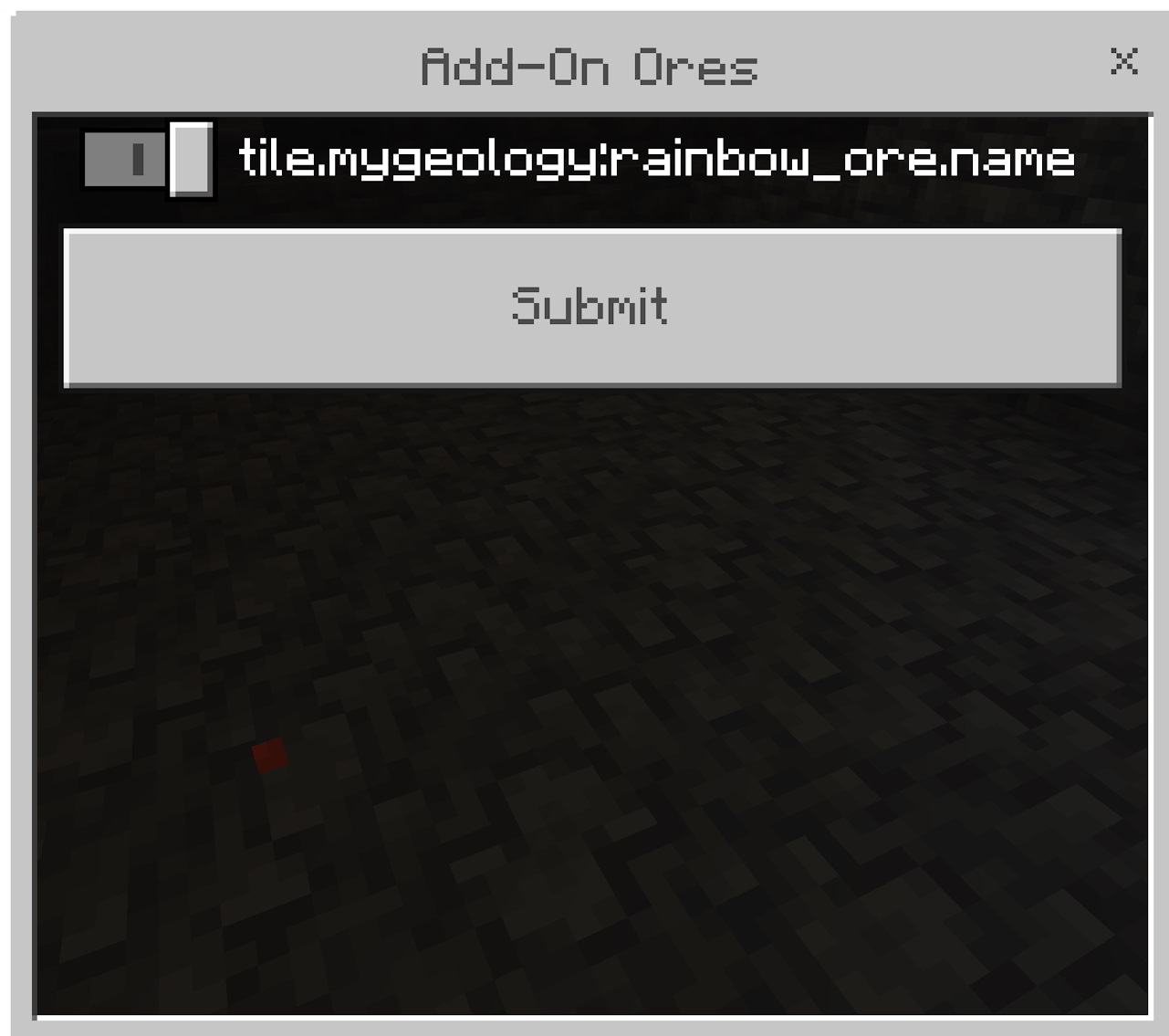
      lang: "tile.mygeology:rainbow_ore.name",
      hardness: 3,
      rgb: [1.0, 0.5, 0.7]
    }
  ],
  pickaxes: [
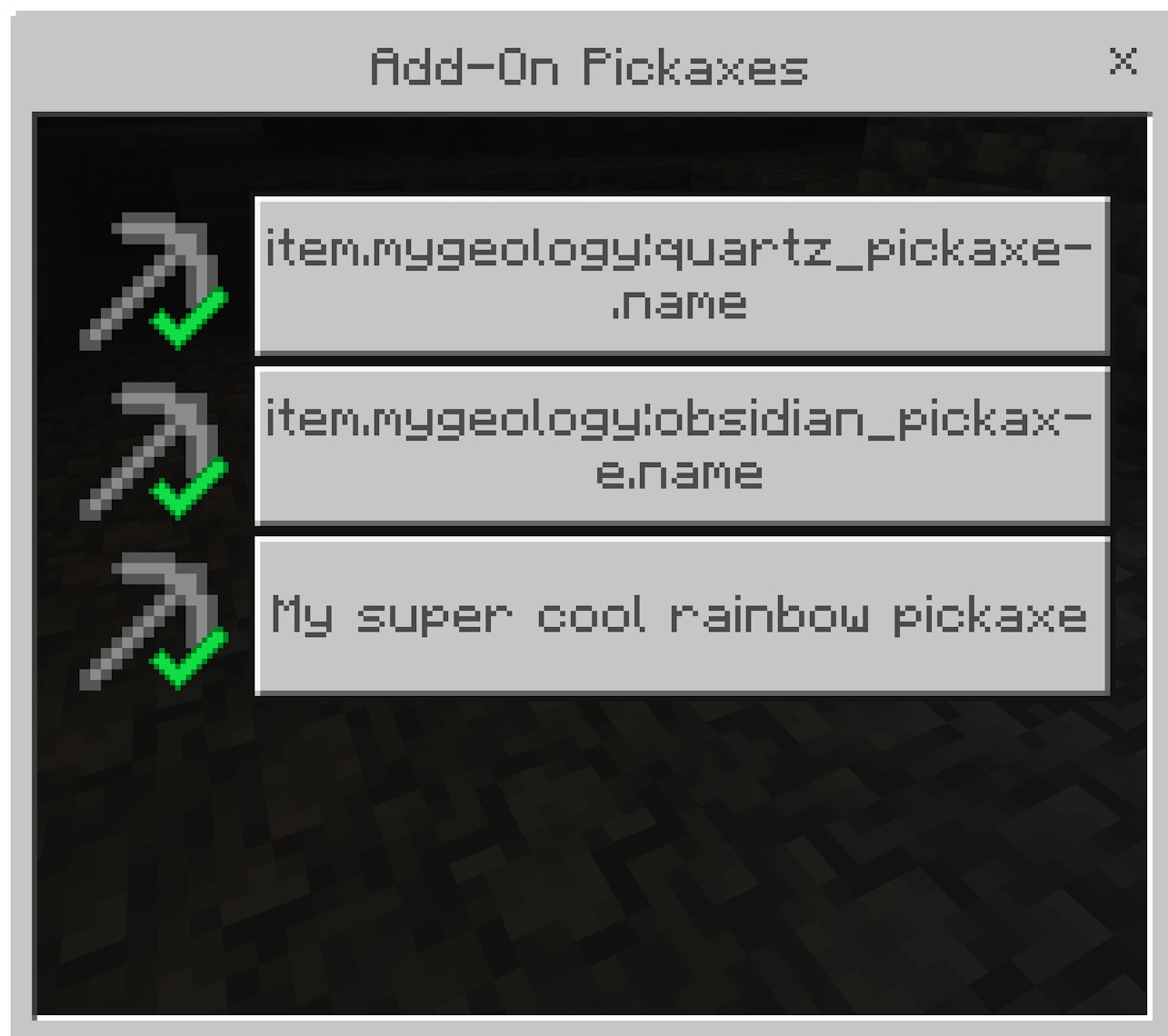
    { id: "mygeology:quartz_pickaxe", tier: 2 },
    { id: "mygeology:obsidian_pickaxe", tier: 4 },
    { id: "mygeology:rainbow_pickaxe", lang: "My super cool rainbow pickaxe", tier: 5 }
  ],
  on_load: "say VeinMiner Compatibility Added!"
};

// Register the addon
world.getDimension("overworld").runCommand(
  "scriptevent veinminer:register_addon " + JSON.stringify(myAddon)
);
In this example, we’re registering an Add-On called “My Geological Add-On” with a custom rainbow ore and three custom pickaxes. The rainbow ore drops XP orbs and rainbow gems, with Fortune enchantment support.
Your pickaxes and ores will now show up in VeinMiner! 🎉
Best Practices
- Use unique identifiers for your ores and pickaxes to avoid conflicts with other Add-Ons.
- Set appropriate mining tiers for your ores and pickaxes to maintain game balance.
- Consider Fortune enchantment compatibility when defining ore loot tables.
- Test your integration thoroughly to ensure all ores and pickaxes work as expected.
By following this guide, you can seamlessly integrate your custom Add-On with VeinMiner, allowing players to enjoy your custom ores and pickaxes with the vein mining functionality!